
FDM password reset article

Mar 02, 2022
 687
687
To update or change your account password:
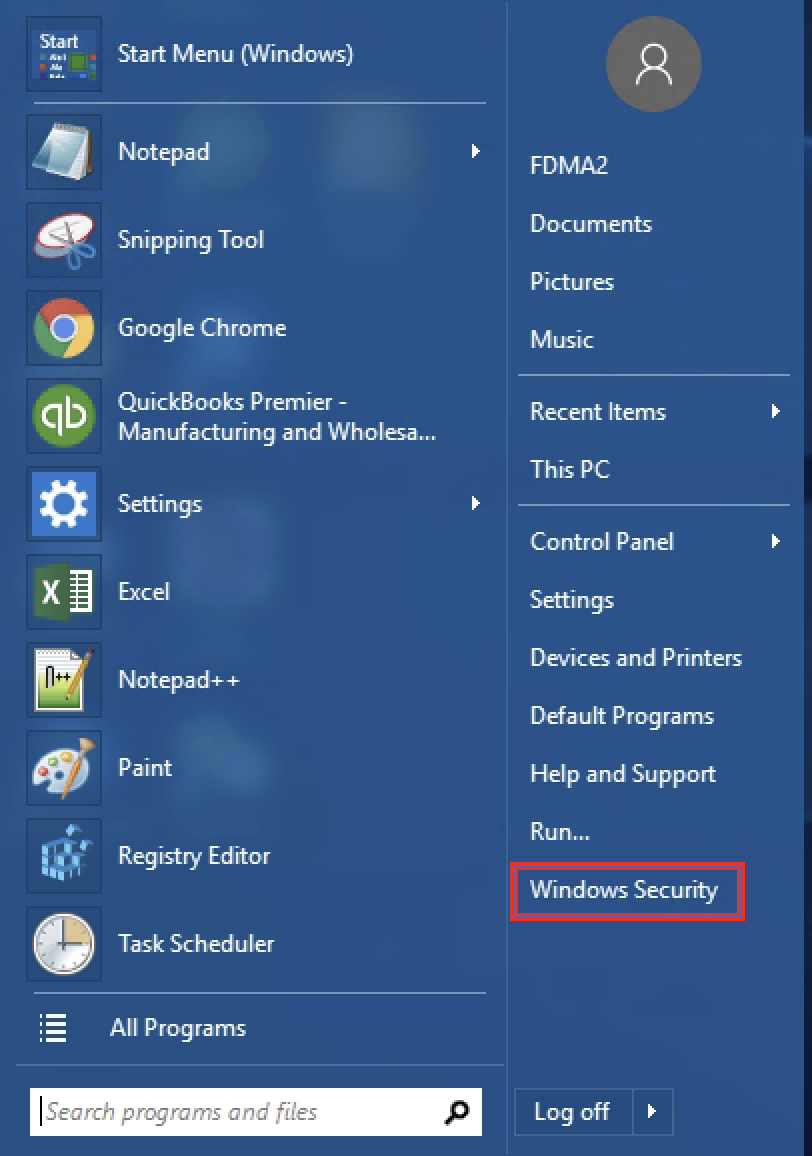
1. Log in to TS2 and go to the start menu
2. select Windows Security
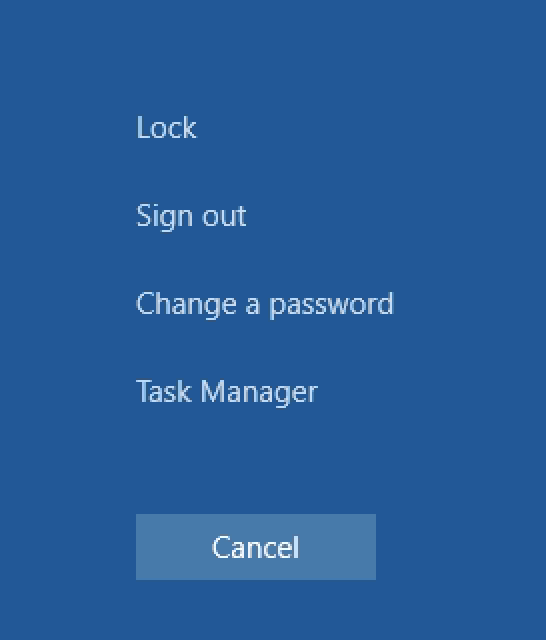
3. Click on Change a password

 687
687
To update or change your account password:
1. Log in to TS2 and go to the start menu
2. select Windows Security
3. Click on Change a password

